> ## Documentation Index
> Fetch the complete documentation index at: https://docs.bluprynt.com/llms.txt
> Use this file to discover all available pages before exploring further.
# Smart Disclosures and MiCA
> Draft Smart Disclosures and check a white paper against MiCA.
Passport has two tools for regulatory documents. **Documents** drafts and publishes Smart Disclosures such as a MiCA registration. **Analyze** checks a white paper you already have against MiCA.
## Draft a Smart Disclosure
Open **Documents** and click **Create New Document**.
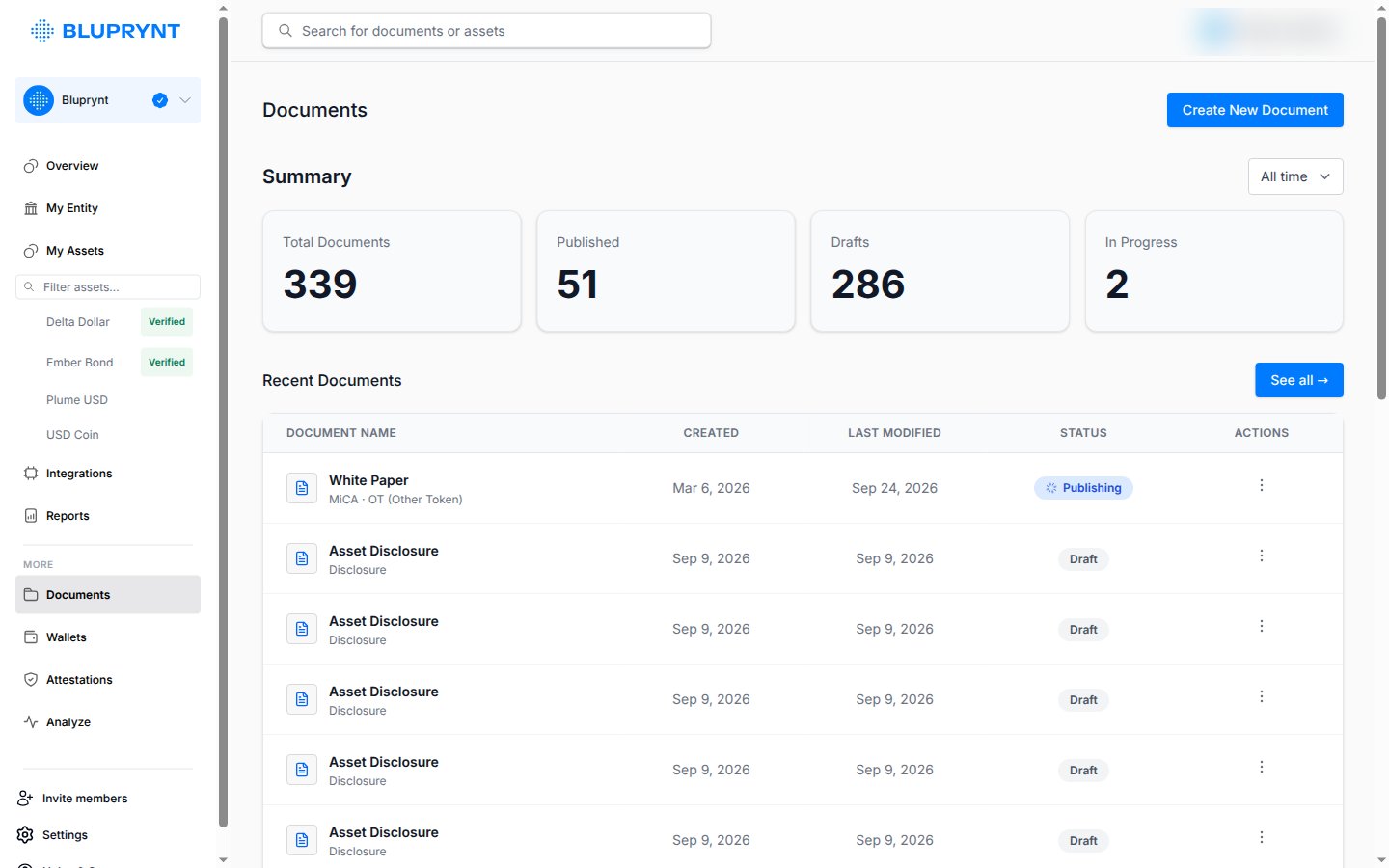 Creating documents needs an active Bluprynt subscription. Passport prompts you to upgrade if your organization doesn't have one.
The form shows the questions for your jurisdiction and asset type.
Publish the finished document. You can unpublish it later.
## Check a white paper against MiCA
Open **Analyze**, click **Analyze New Document** and upload the white paper. Bluprynt flags missing or weak sections and gives you a report to download and share with your advisors.
Creating documents needs an active Bluprynt subscription. Passport prompts you to upgrade if your organization doesn't have one.
The form shows the questions for your jurisdiction and asset type.
Publish the finished document. You can unpublish it later.
## Check a white paper against MiCA
Open **Analyze**, click **Analyze New Document** and upload the white paper. Bluprynt flags missing or weak sections and gives you a report to download and share with your advisors.
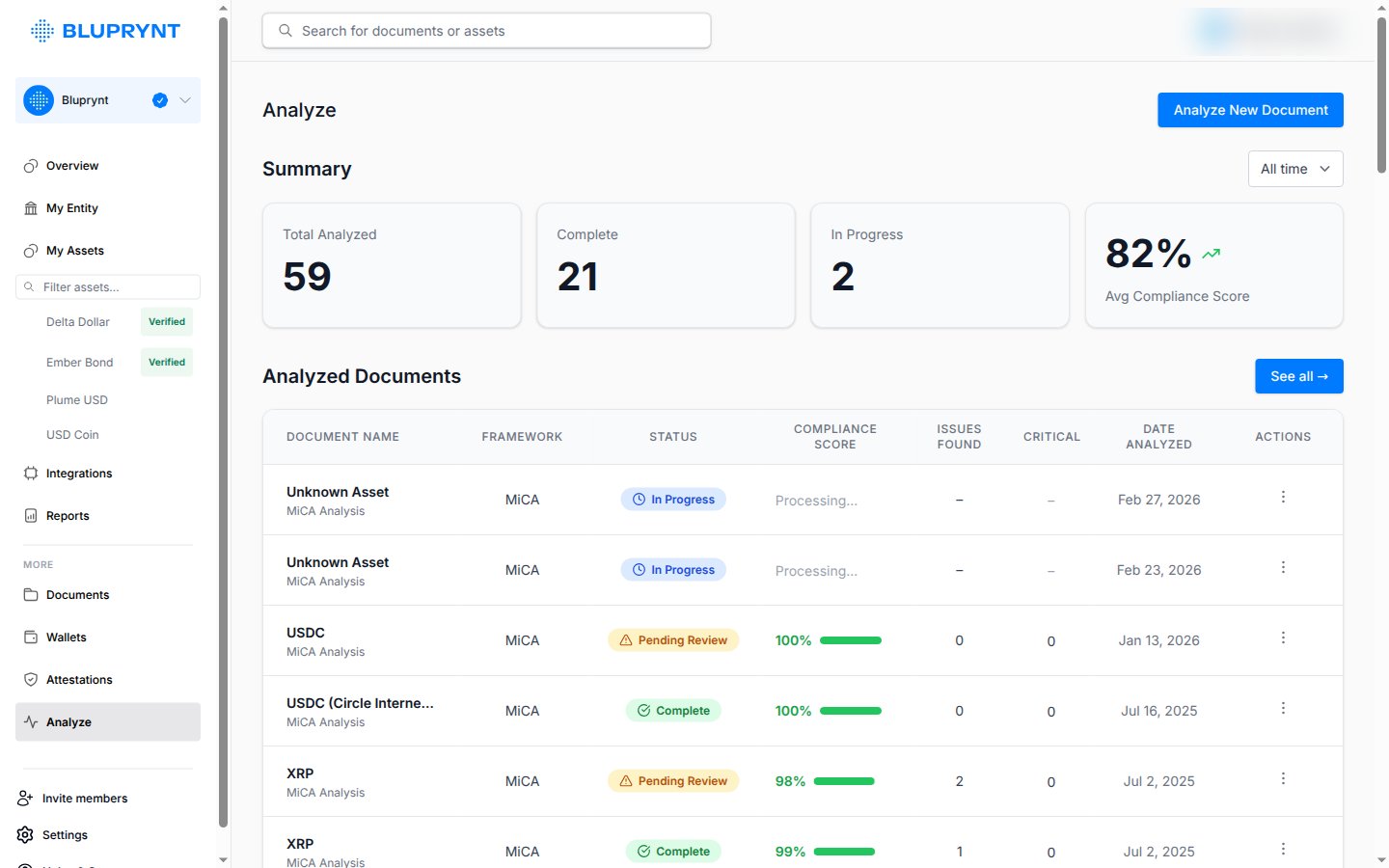 The analysis is AI-assisted and doesn't replace legal advice. Before it runs, you confirm that final responsibility for compliance stays with you.
To classify a token under MiCA without signing in, use the free [MiCA checker](https://explorer.bluprynt.com/mica-checker) in Explorer.
This documentation is built and hosted on [Mintlify](https://mintlify.com), a developer documentation platform.
The analysis is AI-assisted and doesn't replace legal advice. Before it runs, you confirm that final responsibility for compliance stays with you.
To classify a token under MiCA without signing in, use the free [MiCA checker](https://explorer.bluprynt.com/mica-checker) in Explorer.
This documentation is built and hosted on [Mintlify](https://mintlify.com), a developer documentation platform.