> ## Documentation Index
> Fetch the complete documentation index at: https://docs.bluprynt.com/llms.txt
> Use this file to discover all available pages before exploring further.
# Applications and review
> Build an application form and review what issuers submit.
Issuers apply for a credential by filling in one of your forms. You review each application and approve, decline or ask for more.
## Build a form
Open **Form manager** and click **Create form**. The builder has five steps: **Form details**, **Credential type**, **Form builder**, **Approval workflow** and **Review & publish**.
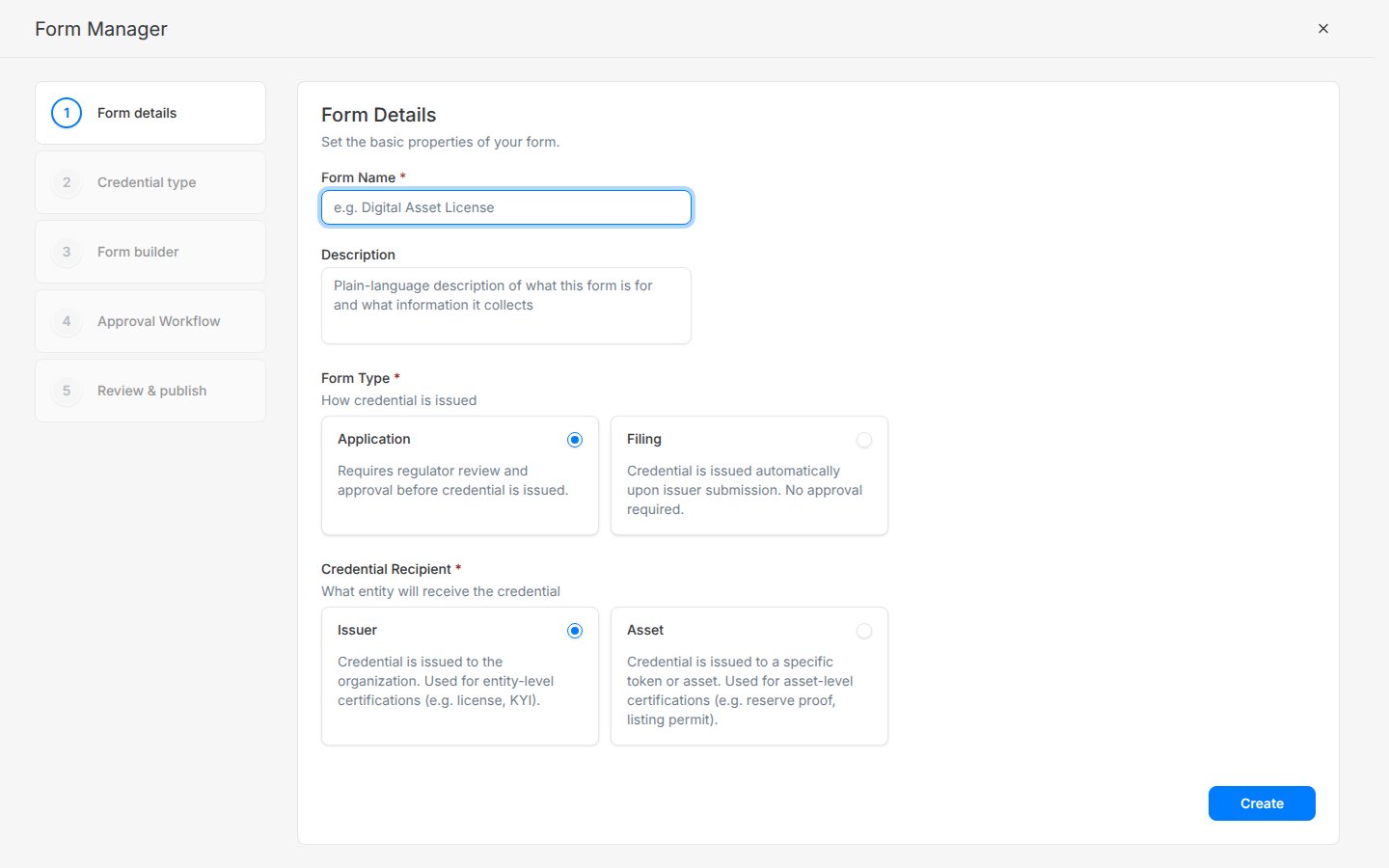 Two choices shape the form:
| Choice | Options |
| - | - |
| **Form type** | **Application**: you review and approve before the credential is issued. **Filing**: the credential is issued when the issuer submits. |
| **Credential recipient** | **Issuer**: the organization gets it, for example KYI or a license. **Asset**: one token gets it, for example a reserve proof or listing permit. |
## Review an application
Open **Applications**. New submissions show **Pending review**. The assigned reviewer clicks **Accept** to move it to **In review**.
Two choices shape the form:
| Choice | Options |
| - | - |
| **Form type** | **Application**: you review and approve before the credential is issued. **Filing**: the credential is issued when the issuer submits. |
| **Credential recipient** | **Issuer**: the organization gets it, for example KYI or a license. **Asset**: one token gets it, for example a reserve proof or listing permit. |
## Review an application
Open **Applications**. New submissions show **Pending review**. The assigned reviewer clicks **Accept** to move it to **In review**.
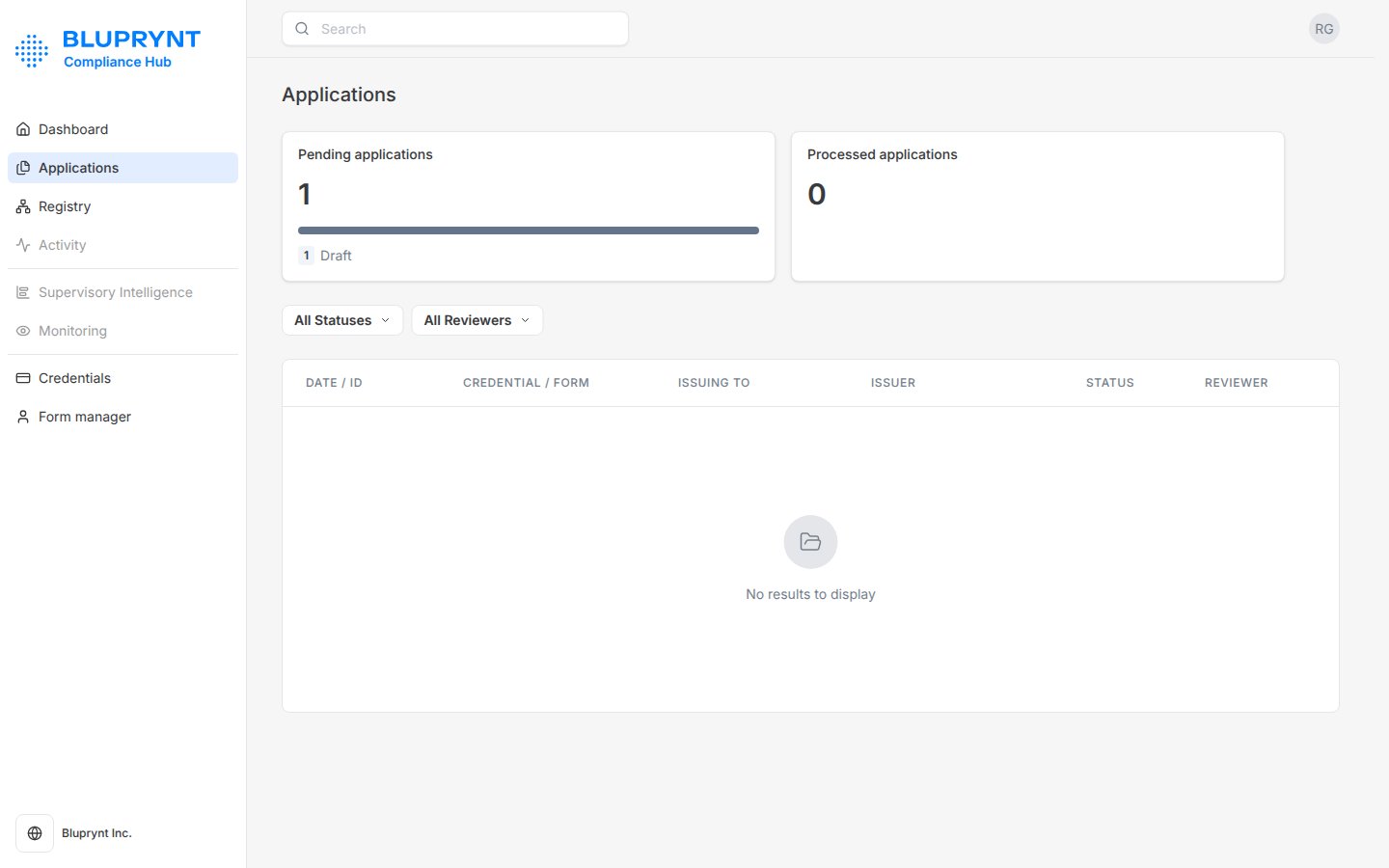 Open the application to see the issuer details, asset details, each form section and the uploaded documents.
Choose **Approve** to issue the credential, **Decline** to reject it, or **Request for information** to send it back to the issuer.
| Status | Meaning |
| - | - |
| Draft | The issuer hasn't submitted yet. |
| Pending review | Submitted and waiting for the reviewer. |
| In review | The reviewer accepted it. |
| Request for info | Back with the issuer for more information. |
| Approved | The credential is issued. |
| Rejected | Declined. |
| Archived | No longer active. |
This documentation is built and hosted on [Mintlify](https://mintlify.com), a developer documentation platform.
Open the application to see the issuer details, asset details, each form section and the uploaded documents.
Choose **Approve** to issue the credential, **Decline** to reject it, or **Request for information** to send it back to the issuer.
| Status | Meaning |
| - | - |
| Draft | The issuer hasn't submitted yet. |
| Pending review | Submitted and waiting for the reviewer. |
| In review | The reviewer accepted it. |
| Request for info | Back with the issuer for more information. |
| Approved | The credential is issued. |
| Rejected | Declined. |
| Archived | No longer active. |
This documentation is built and hosted on [Mintlify](https://mintlify.com), a developer documentation platform.