> ## Documentation Index
> Fetch the complete documentation index at: https://docs.bluprynt.com/llms.txt
> Use this file to discover all available pages before exploring further.
# KYI Widget SDK quickstart
> Embed Bluprynt KYI verification in your app in three steps.
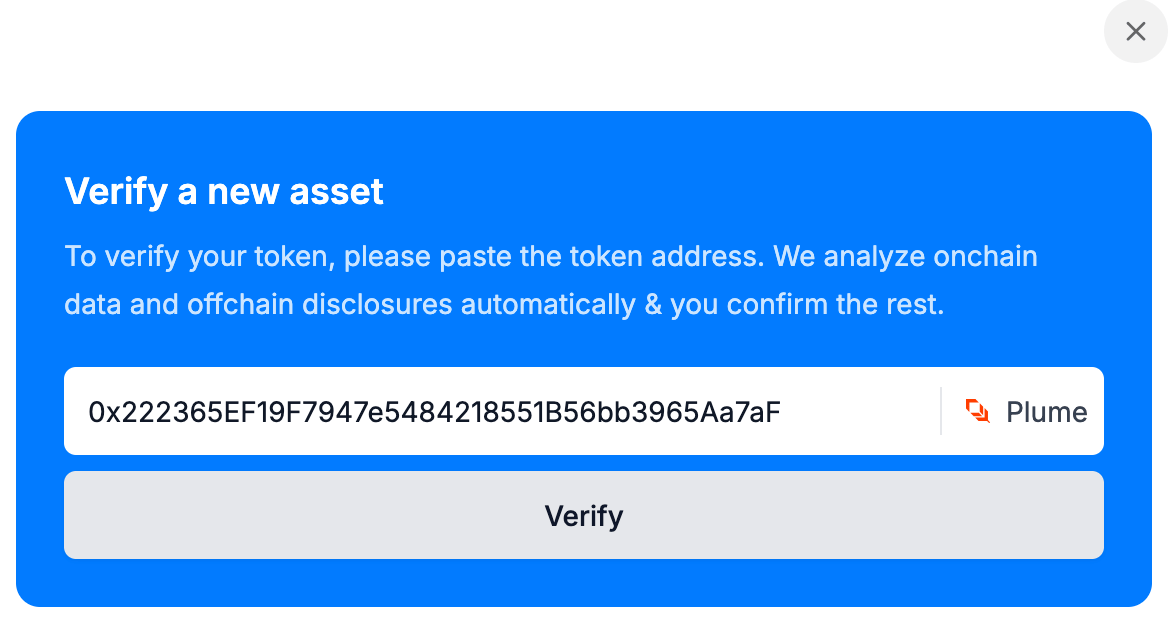
The [KYI Widget SDK](https://blupryntco.github.io/kyi-widget-sdk/index.html) runs the [KYI](/tools/kyi) flow inside your product. Your server mints a short-lived token; your frontend opens the widget in a drawer.
 ## Before you start
Send your Bluprynt representative every origin that will embed the widget, such as `https://app.example.com` and `http://localhost:3000`. You get back a partner ID and a `SECRET_KEY`. The widget only loads on allowlisted origins; scheme, host and port must match exactly. The server helper needs Node.js 18 or later.
```bash theme={null}
npm install @bluprynt/kyi-widget-sdk
```
```ts server.ts theme={null}
import { generateToken } from '@bluprynt/kyi-widget-sdk/server'
// requireLogin: your own auth middleware
app.post('/api/kyi/token', requireLogin, async (req, res) => {
const accessToken = await generateToken({
issuer: process.env.BLUPRYNT_PARTNER_ID, // your partner ID
secretKey: process.env.BLUPRYNT_SECRET_KEY,
userId: req.session.user.id, // from the session, never the request body
expiresIn: 3600, // seconds
})
res.json({ accessToken })
})
```
Keep `SECRET_KEY` on the server. Take the user ID from your authenticated session: if your endpoint reads it from the request, anyone can open someone else's verification.
The widget slides in from the right as a drawer. Mint a fresh token each time you open it.
```ts app.ts theme={null}
import { kyi } from '@bluprynt/kyi-widget-sdk'
const { accessToken } = await fetch('/api/kyi/token', { method: 'POST' })
.then((r) => r.json())
const widget = kyi('drawer', 'kyi', accessToken, {
onReady: () => console.log('Widget loaded'),
onClose: () => console.log('Widget closed'),
onError: (error) => console.error(error),
})
```
| Scope | Opens |
| - | - |
| `kyi` | The full verification flow. |
| `asset-list` | The member's verified assets. |
| `wallet-list` | The member's verified wallets. |
Next: [verify the controlling wallets](/sdk/wallet-verification), or see the full [reference](/sdk/reference).
This documentation is built and hosted on [Mintlify](https://mintlify.com), a developer documentation platform.
## Before you start
Send your Bluprynt representative every origin that will embed the widget, such as `https://app.example.com` and `http://localhost:3000`. You get back a partner ID and a `SECRET_KEY`. The widget only loads on allowlisted origins; scheme, host and port must match exactly. The server helper needs Node.js 18 or later.
```bash theme={null}
npm install @bluprynt/kyi-widget-sdk
```
```ts server.ts theme={null}
import { generateToken } from '@bluprynt/kyi-widget-sdk/server'
// requireLogin: your own auth middleware
app.post('/api/kyi/token', requireLogin, async (req, res) => {
const accessToken = await generateToken({
issuer: process.env.BLUPRYNT_PARTNER_ID, // your partner ID
secretKey: process.env.BLUPRYNT_SECRET_KEY,
userId: req.session.user.id, // from the session, never the request body
expiresIn: 3600, // seconds
})
res.json({ accessToken })
})
```
Keep `SECRET_KEY` on the server. Take the user ID from your authenticated session: if your endpoint reads it from the request, anyone can open someone else's verification.
The widget slides in from the right as a drawer. Mint a fresh token each time you open it.
```ts app.ts theme={null}
import { kyi } from '@bluprynt/kyi-widget-sdk'
const { accessToken } = await fetch('/api/kyi/token', { method: 'POST' })
.then((r) => r.json())
const widget = kyi('drawer', 'kyi', accessToken, {
onReady: () => console.log('Widget loaded'),
onClose: () => console.log('Widget closed'),
onError: (error) => console.error(error),
})
```
| Scope | Opens |
| - | - |
| `kyi` | The full verification flow. |
| `asset-list` | The member's verified assets. |
| `wallet-list` | The member's verified wallets. |
Next: [verify the controlling wallets](/sdk/wallet-verification), or see the full [reference](/sdk/reference).
This documentation is built and hosted on [Mintlify](https://mintlify.com), a developer documentation platform.