> ## Documentation Index
> Fetch the complete documentation index at: https://docs.bluprynt.com/llms.txt
> Use this file to discover all available pages before exploring further.
# Wallet verification
> How issuers prove they control each wallet with authority over a token.
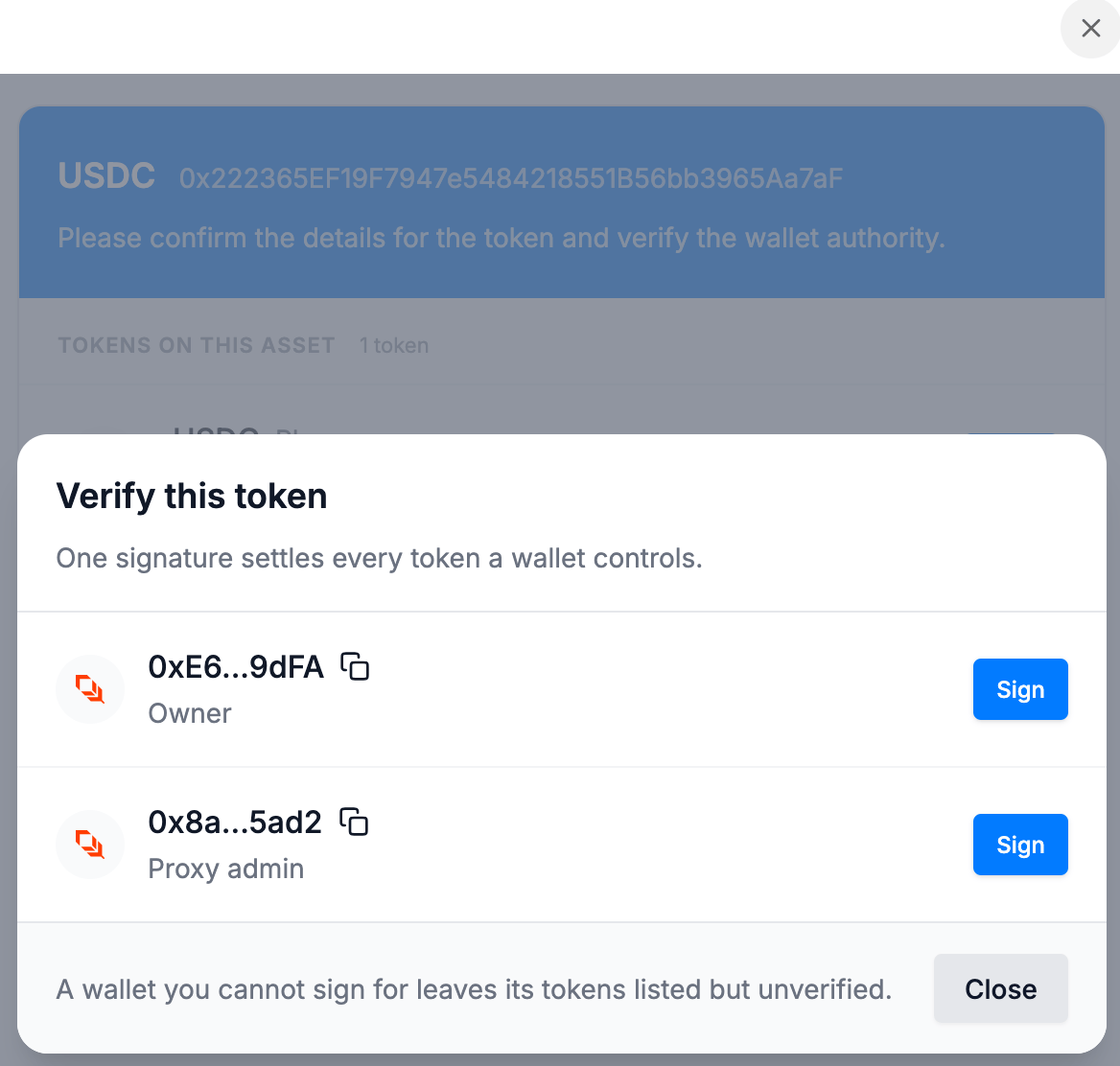
After the KYB check and the token lookup, the widget lists every wallet with authority over the token. The issuer verifies each one. Most methods sign a short challenge message off-chain: no funds move and there's no gas fee.
 | Method | Chains | Confirmed |
| - | - | - |
| **Browser wallet** — Phantom, GemWallet, Crossmark | EVM, Solana, XRPL | Instantly |
| **WalletConnect** — MetaMask, mobile wallets | EVM, Solana | Instantly |
| **Manual signature** | EVM, Solana, XRPL | Instantly; Solana after Bluprynt review |
| **HSM or custody** — a memo transaction | All | After Bluprynt review |
| **Micro-transaction** | EVM | When the transaction is found |
WalletConnect and micro-transactions aren't enabled for every integration. Ask your Bluprynt representative.
## Manual signature
Copy the challenge message from the widget, sign it with your own tooling and paste the signature back.
```bash EVM (Foundry) theme={null}
cast wallet sign --interactive ""
```
```bash Solana CLI theme={null}
solana sign-offchain-message -k ""
```
Any EVM tool that does an EIP-191 `personal_sign` works. For XRPL, the widget shows a short script using `xrpl` or `ripple-keypairs`.
## HSM or custody
If the key can't sign arbitrary messages, send a transaction from the wallet that carries only this memo:
```text theme={null}
Bluprynt KYI verification: Selected wallet confirms authority
```
Then email the transaction link to [product@bluprynt.com](mailto:product@bluprynt.com). The wallet stays pending until Bluprynt reviews it. The transaction pays normal network fees.
## Multisig wallets
Sign as the multisig itself or as any one of its signers. If you can't sign for a wallet, its tokens stay listed but unverified.
This documentation is built and hosted on [Mintlify](https://mintlify.com), a developer documentation platform.
| Method | Chains | Confirmed |
| - | - | - |
| **Browser wallet** — Phantom, GemWallet, Crossmark | EVM, Solana, XRPL | Instantly |
| **WalletConnect** — MetaMask, mobile wallets | EVM, Solana | Instantly |
| **Manual signature** | EVM, Solana, XRPL | Instantly; Solana after Bluprynt review |
| **HSM or custody** — a memo transaction | All | After Bluprynt review |
| **Micro-transaction** | EVM | When the transaction is found |
WalletConnect and micro-transactions aren't enabled for every integration. Ask your Bluprynt representative.
## Manual signature
Copy the challenge message from the widget, sign it with your own tooling and paste the signature back.
```bash EVM (Foundry) theme={null}
cast wallet sign --interactive ""
```
```bash Solana CLI theme={null}
solana sign-offchain-message -k ""
```
Any EVM tool that does an EIP-191 `personal_sign` works. For XRPL, the widget shows a short script using `xrpl` or `ripple-keypairs`.
## HSM or custody
If the key can't sign arbitrary messages, send a transaction from the wallet that carries only this memo:
```text theme={null}
Bluprynt KYI verification: Selected wallet confirms authority
```
Then email the transaction link to [product@bluprynt.com](mailto:product@bluprynt.com). The wallet stays pending until Bluprynt reviews it. The transaction pays normal network fees.
## Multisig wallets
Sign as the multisig itself or as any one of its signers. If you can't sign for a wallet, its tokens stay listed but unverified.
This documentation is built and hosted on [Mintlify](https://mintlify.com), a developer documentation platform.