

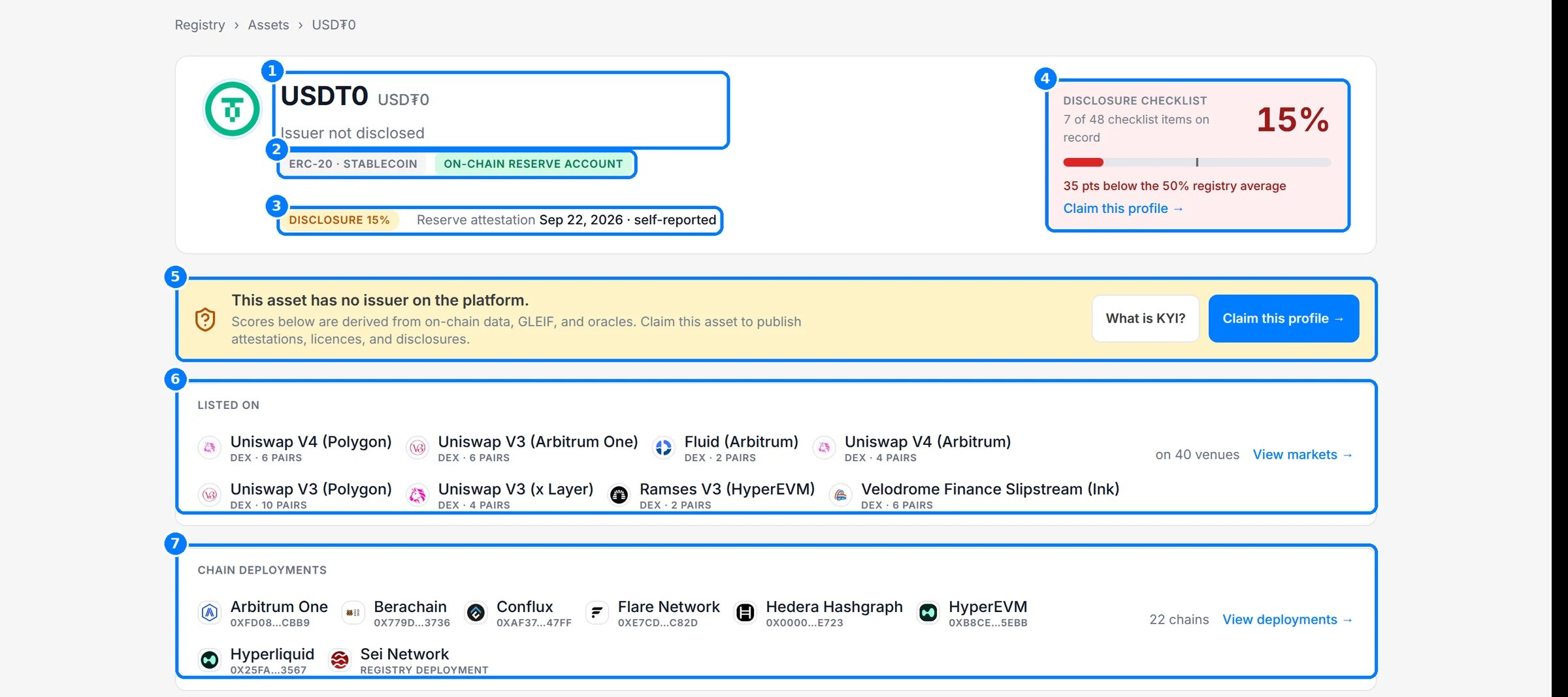
An asset record in Compliance Explorer: identity, disclosure score, venues and chain deployments.
Feature guides
Search and browse
Find any asset, issuer or contract address from the home page or the header search.
Directories
Filter and sort every asset, issuer, regulator and protocol on record.
The asset page
Read an asset tab by tab, and see where each field’s evidence comes from.
Issuer, regulator and protocol pages
See an issuer’s compliance profile, a regulator’s register and a protocol’s footprint.
Status tags and the disclosure checklist
Understand the 48-item checklist, “Not disclosed”, status tags and Claim this profile.
Access, freshness and provenance
Learn what is open, what needs an account or Explorer Pro, and how current each record is.
Key concepts
Registry, asset, issuer, checklist, Not disclosed and Explorer Pro are defined in Concepts.How the registry is built
Every value on a record traces back to a source. Bluprynt reads public documents, on-chain data, regulator registers and GLEIF, then keeps each value with the document it came from.- Sources. Issuer documents and web pages, on-chain contract reads, regulator registers, GLEIF, market data and oracles.
- Evidenced fields. Each extracted value keeps its source document, quote and confidence.
- Checklist. Each field counts toward the disclosure checklist only when it is on record.
- Verification. When an issuer claims its profile and completes KYI, the record shows it as verified instead of inferred.
Related pages
Asset Dependency Engine
The graph of every layer an asset depends on.
Disclosure Monitoring
Watch assets and get notified when their disclosures change.
Explorer API
Read tokenomics changes and run your watchlist from code.