Read Disclosure Monitoring notifications, filter the Changes feed and open a change with its quotes, sources and hashes.
When a confirmed change meets your notification preference, Disclosure Monitoring notifies you in the Explorer. Every notification opens the change detail, which shows what changed, why it matters and the proof. This page covers the notification bell, the Changes feed and the change detail view.
Narrow the feed with Assets, Monitors, Materiality and Window. Turn on New only to see changes since your last visit. Turn on Include low-signal document revisions to see revisions that are hidden by default.
3
Read the materiality
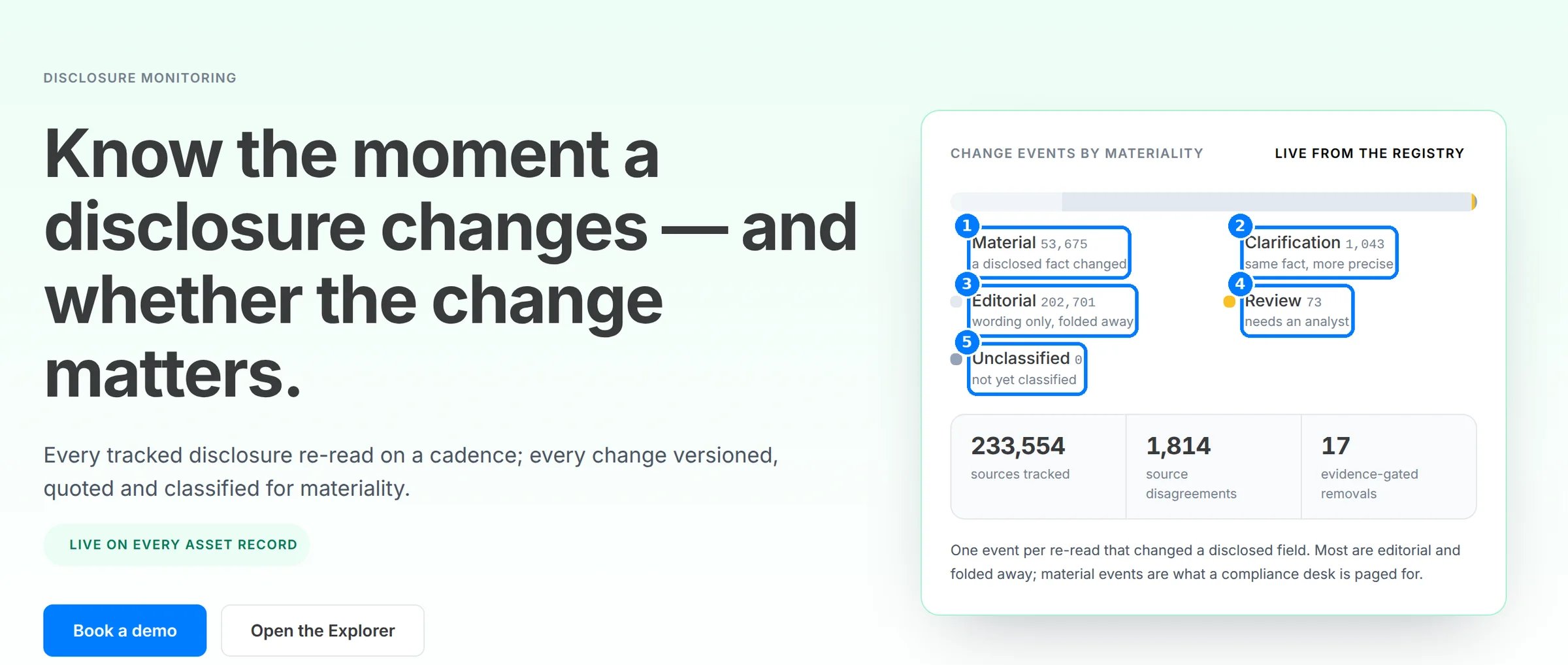
Each change carries its class (1–5): Material, Clarification, Editorial, Needs review or Unclassified. Drafts are shown dashed and don’t count until confirmed.
The five materiality classes.
4
Open the change
Click a change to open its detail. Read the headline, then What it means and Why this matters. Passage in context shows the quote inside the surrounding text.
5
Check the proof
Under Proof, compare Previous value and Current value, or Earlier version and Current version for a document. Each side names its Source and the SHA-256 hash of the version read. More technical details shows the Monitor, Topic, Change kind and Change id.
6
Clear notifications
Click the bell to open Notifications. Click Mark all read once you’ve reviewed them.
The populated feed, change detail and notifications need an Explorer Pro account with watched assets, so steps 2, 4, 5 and 6 have no screenshot. The labels come from the Explorer source.